
Your file utility belt.
Compress images, build PDFs, extract audio, trim video and transcribe speech — all on your phone. No uploads, no account, no waiting.
Free to start · 3 uses per core tool
- 100% on-device
- No account needed
- No ads or tracking
- Compress
- Merge
- Extract
- Trim
- Transcribe
Everything in one belt
Six focused tools that replace a folder full of one-off apps — each built for speed and privacy.
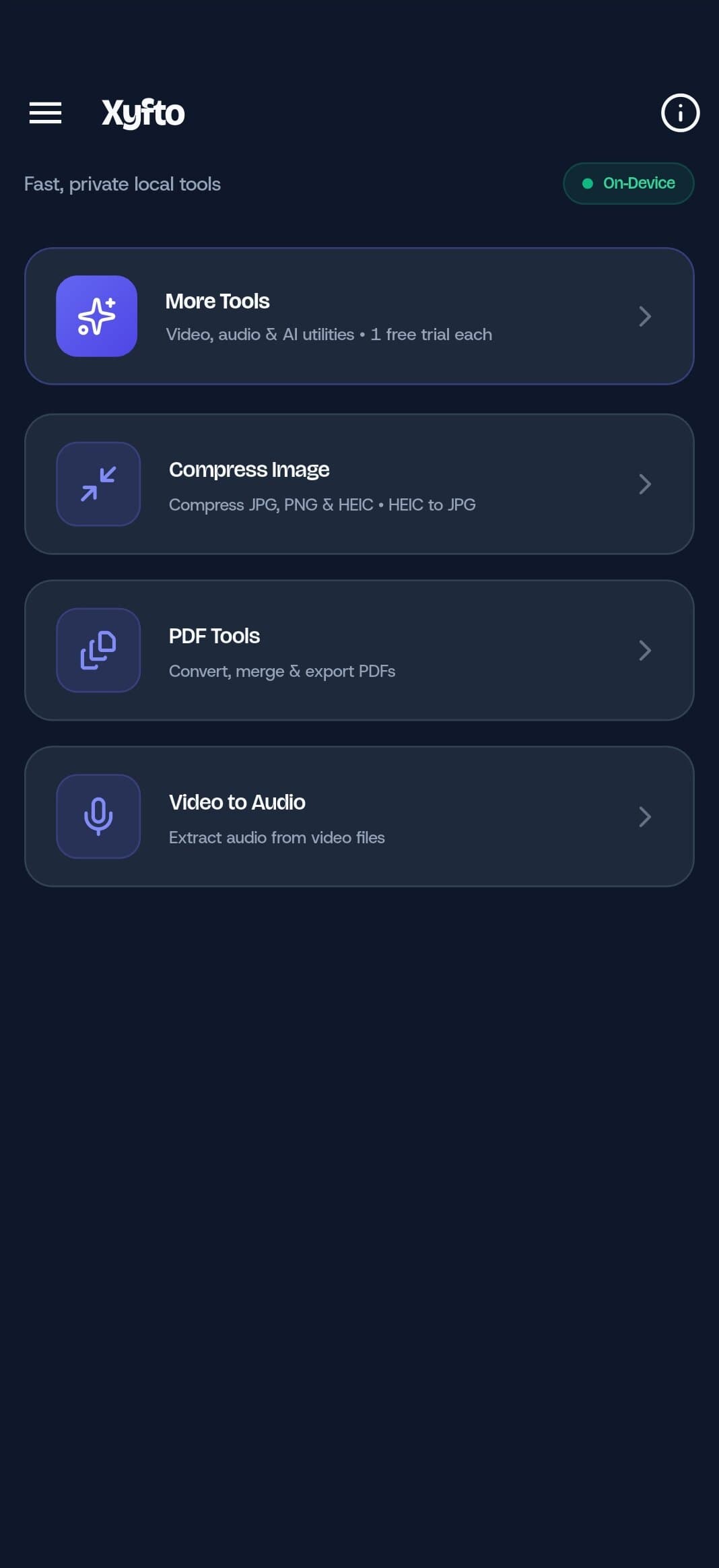
Compress Image
Shrink JPG, PNG and HEIC photos without visible quality loss — and turn HEIC into JPG.
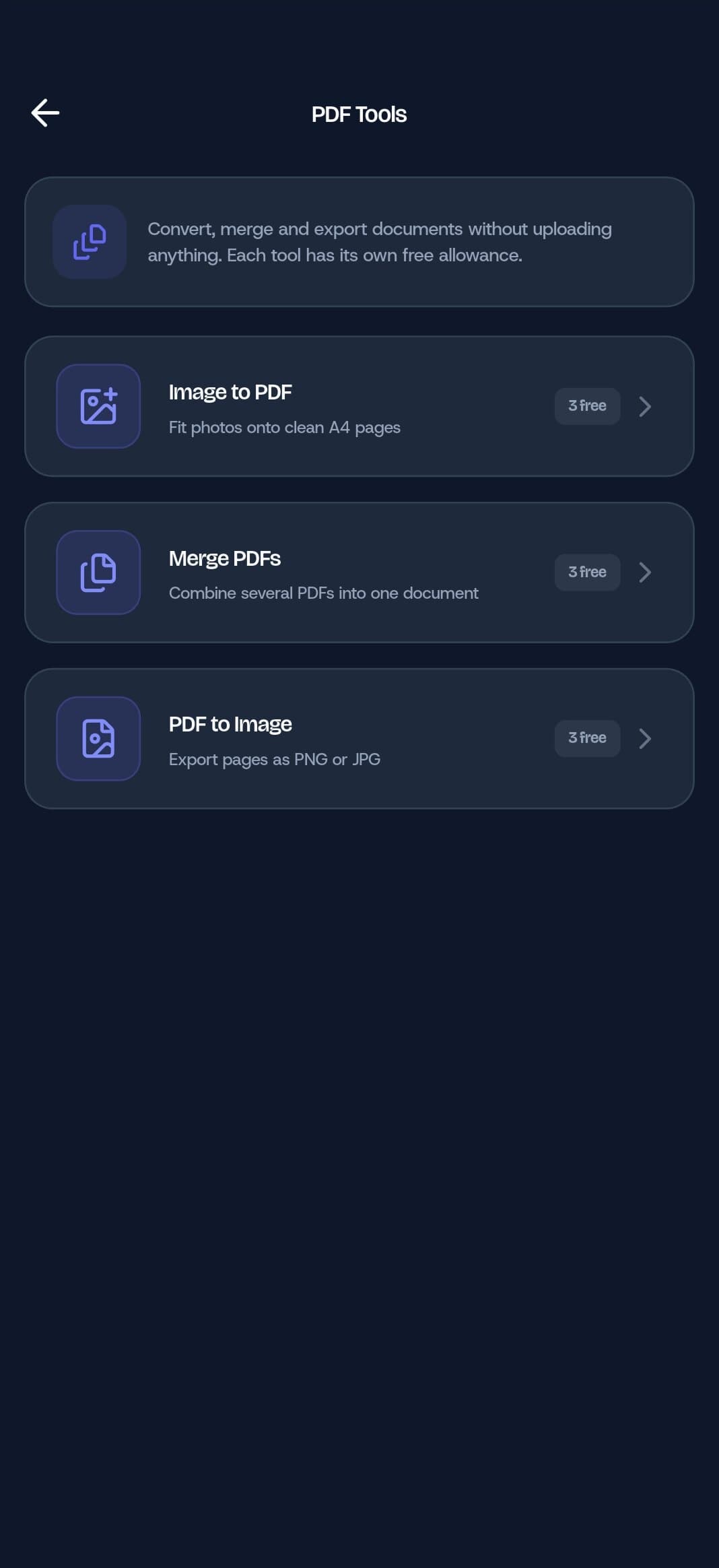
PDF Tools
Turn photos into clean A4 PDFs, merge documents, or export PDF pages as images.
Video to Audio
Pull the audio track out of any video in seconds, with the original quality.
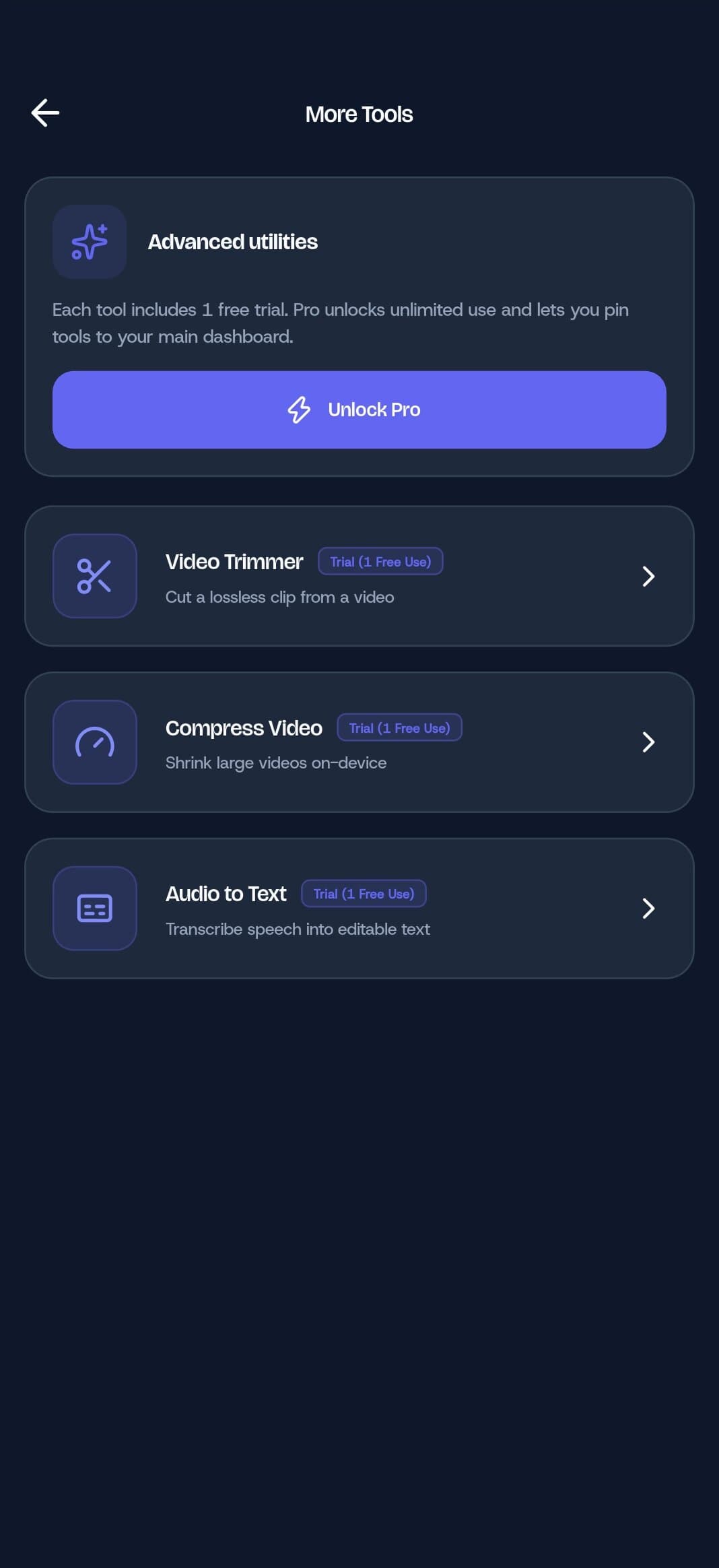
Video Trimmer
Cut a lossless clip from the start, middle or end of a video.
Compress Video
Bring large videos down to a shareable size with honest, on-device encoding.
Audio to Text
Turn recordings into clean, editable text with offline speech models.
From camera roll to finished document.
Pick photos, reorder pages, fix the rotation and get a clean A4 PDF. Merge contracts, receipts or scans without ever uploading a file.
- Image to PDF with page reordering
- Merge any number of PDFs
- Export pages as PNG or JPG
Heavy media, handled locally.
Trim lossless clips, compress oversized videos and transcribe recordings — using the processor in your pocket instead of a server queue.
- Lossless video trimming
- Target-bitrate compression
- Offline speech-to-text
Private isn’t a setting. It’s the architecture.
Everything runs on your device. Your photos, documents and recordings never touch a server — because there isn’t one.
- No uploads, ever
- No account or profile
- No ad or analytics SDKs

Your files never leave your phone
Xyfto has no cloud backend. Processing happens in the app, on the device you’re holding.
On-device processing
Every conversion runs locally, even with airplane mode on.
No account
No email, no profile, no sign-in wall before your first file.
No tracking
No advertising SDKs and no behavioural analytics.
No file uploads
Documents, photos and recordings stay in your storage.
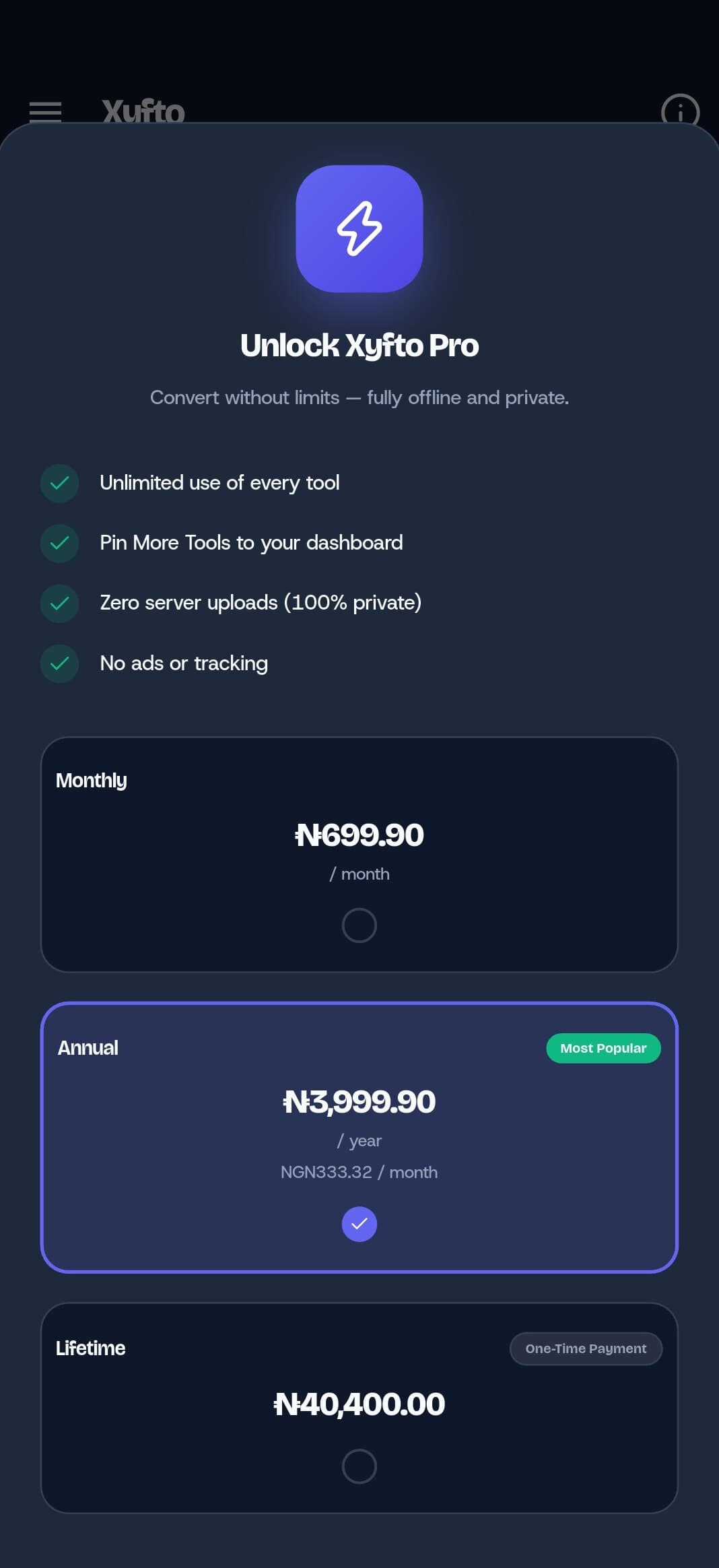
Unlock the whole belt
Start free. Upgrade to Pro when you need unlimited runs and a dashboard that fits the way you work.
- Unlimited use of every tool
- Pin More Tools to your dashboard
- 100% private, always
- No ads or tracking
Monthly, annual and lifetime options. Prices are shown in the app.
Three taps to a finished file
- 01
Pick a tool
Choose from your dashboard or open More Tools for the advanced set.
- 02
Add your file
Select photos, videos or documents from your device.
- 03
Export and share
Save to your phone or send the result straight into another app.
Does Xyfto upload my files?
No. Every tool runs on your device. There is no cloud backend and no file transfer.
Do I need an account?
No. Xyfto works without signing up, and it never asks for your email or contacts.
What is free?
Each core tool includes 3 free uses. More Tools include a 1-use trial. Pro removes the limits.
Is there an iPhone version?
Not yet. Xyfto is available on Android today, and iOS is in development.
How do I restore a purchase?
Open Subscription Status from the app menu and tap Restore Purchases. Google Play handles the rest.
Which formats are supported?
JPG, PNG, WebP and HEIC images, PDFs, and common video and audio formats. The app shows compatible files when you pick one.
Ready to leave the upload queue?
Download Xyfto and handle the next file on your own phone.
Android only for now — iOS is coming soon.